


Getting from point A to point B has evolved from reading paper maps to relying on sophisticated digital assistants. We often take for granted the notification that a "faster route has been found," but the infrastructure behind that prompt is incredibly complex.
In an era where urban congestion is a daily hurdle, the accuracy of real-time data is the difference between an efficient commute and an hour stuck in traffic. While many users assume their location is the only data point being used, modern navigation software relies on a massive network of external inputs—most notably, traffic camera data—to paint a complete picture of the road ahead.
What Is Traffic Camera Data?
Traffic camera data refers to the visual and telemetry information captured by fixed hardware installed along transportation networks. Unlike the GPS on a smartphone, these systems provide a fixed, "birds-eye" view of specific high-traffic areas.
Types of Cameras
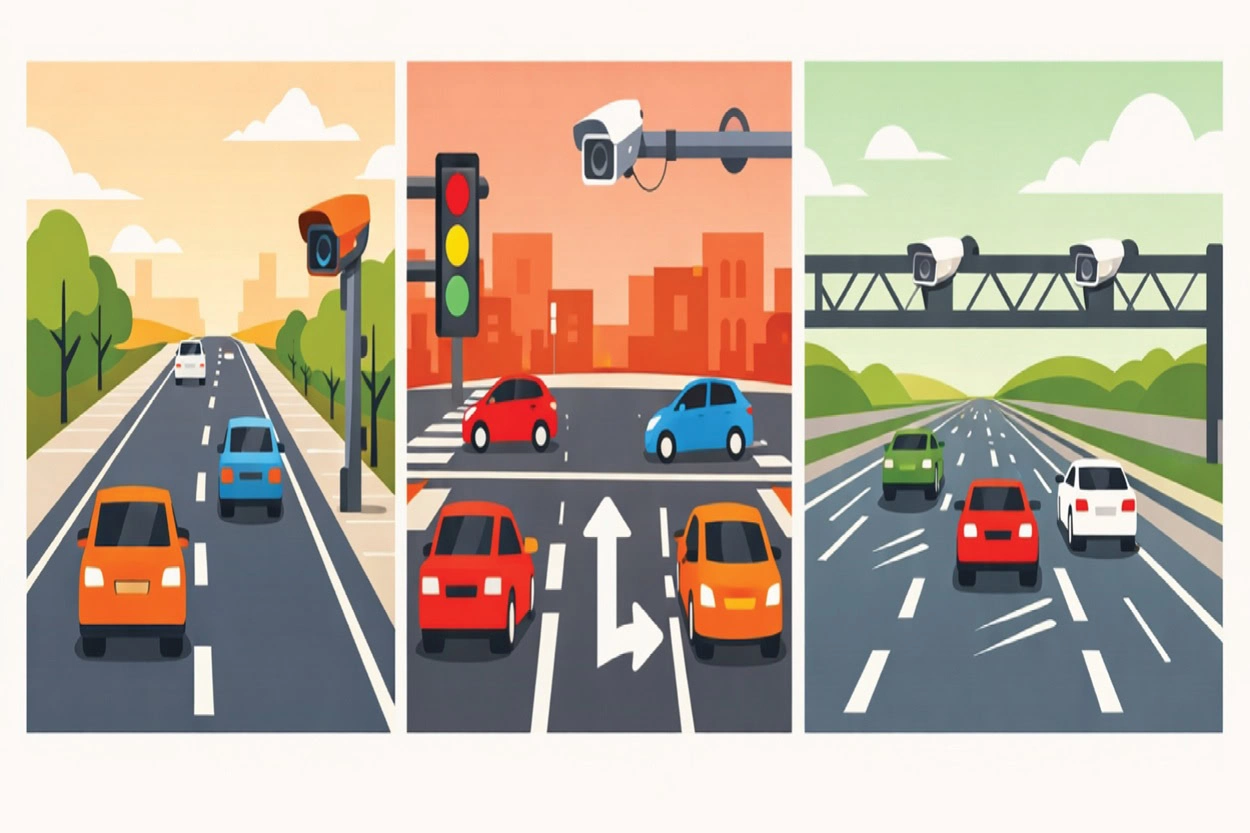
- Roadside Cameras: Often found on surface streets to monitor general flow.
- Intersection Cameras: Positioned to observe turning patterns and signal efficiency.
- Highway Monitoring Systems: High-definition units placed at regular intervals along major arteries to detect high-speed flow and major incidents.
Key Data Points Provided
These cameras do more than just record video; they provide structured data, including:
- Traffic Density: The number of vehicles per unit area on a specific stretch of road.
- Vehicle Speed Patterns: The average velocity of the "pack" rather than just a single car.
- Congestion Indicators: Identifying "bottlenecks" where lanes merge or narrow.
- Incident Detection: Immediate visual confirmation of stalled vehicles, debris, or accidents.
How Navigation Software Collects Traffic Camera Data
Modern navigation software does not typically "watch" thousands of live video feeds simultaneously. Instead, it acts as a sophisticated aggregator. The data collection process usually follows a specific pipeline:
- Public Traffic Authority Feeds: Many government transportation departments provide API access to their camera networks for public safety and information.
- City Open-Data Platforms: "Smart City" initiatives often publish real-time traffic metrics to help developers build urban solutions.
- Third-Party Data Providers: Specialist companies purchase and clean data from thousands of sources, providing a unified stream to software developers.
By utilizing these pipelines, the software receives processed metadata, such as "Heavy Traffic" or "Average Speed: 20 mph," rather than raw, uncompressed video files, which would be too heavy for standard mobile networks to handle.
Processing Traffic Camera Data
The transformation of a video frame into a navigation instruction is a feat of modern software architecture. This is where the system's core logic resides.
Data Ingestion and Computer Vision
When a camera feed is ingested, the software employs computer vision, a field of AI that allows computers to "see" and interpret visual information. Instead of a human monitor, an algorithm analyzes the pixels in each frame to identify shapes and movement.
AI Models for Analysis
- Vehicle Counting: Algorithms draw virtual "tripwires" across the screen. Every time a cluster of pixels (a car) crosses that line, the count increases.
- Speed Estimation: By measuring the time it takes for a vehicle to move between two known points in the camera's field of view, the software calculates velocity using the basic formula:
v = \frac{d}{t} - Congestion Recognition: AI models are trained on thousands of hours of footage to recognize the difference between a "red light" pause and "stop-and-go" traffic.
How This Data Improves Navigation Features
Traffic camera data serves as a "ground truth" that validates other data points. It directly influences several key features:
- Live Traffic Maps: The green, orange, and red overlays on your map are often "filled in" by camera data where GPS pings might be sparse.
- Route Recalculation: If a highway camera detects a sudden "hard brake" event or an overturned vehicle, the software can trigger a detour before the resulting traffic jam even begins to form.
- ETA Accuracy: By knowing the exact density of a bottleneck, the software can provide a more precise Estimated Time of Arrival.
- Incident Detection: Cameras provide visual proof of roadblocks or construction, ensuring the software doesn't route you through a closed street.
Traffic Camera Data vs. Other Traffic Data Sources
Navigation software is a multi-sensor system. Traffic cameras are powerful, but they work best when combined with other inputs.
SourceStrengthLimitationTraffic CamerasHighly accurate "ground truth"; detects incidents visually.Limited to fixed locations; expensive to install.GPS/Mobile SensorsCovers every road where a user is driving; high volume.Can be "noisy" (e.g., a phone on a sidewalk might look like a slow car).Historical PatternsPredicts "typical" rush hour behavior.Cannot predict unexpected accidents or weather events.
Privacy and Data Handling
A common concern regarding camera data is personal privacy. However, in the context of navigation, the focus is exclusively on macroscopic flow rather than individual identification.
- Anonymized Data: Software systems are designed to detect "a vehicle," not "a specific license plate."
- No Facial Recognition: For the purposes of navigation and routing, identifying drivers is irrelevant and is typically excluded from the data processing pipeline.
- Compliance: Most data providers adhere to strict regional regulations regarding how long footage can be stored and who can access it.
Examples of Navigation Software Using Real-Time Traffic Data
Consumer Navigation Software
- Google Maps: The most widely used consumer app, utilizing crowdsourced data from Android and iOS devices to provide real-time congestion updates and alternative routing.
- Waze: A community-driven app where users actively report accidents, police presence, and road hazards to provide hyper-accurate, minute-by-minute traffic flow data.
- Apple Maps: Integrated into the iOS ecosystem, it uses real-time data to suggest faster routes based on current traffic conditions.
Fleet Management Software
- Trucker Guide: A specialized tool designed specifically for truck drivers. It provides real-time traffic updates while accounting for truck-specific restrictions like low bridges, weight limits, and hazardous material constraints.
- Samsara: A comprehensive telematics platform that uses real-time GPS tracking and traffic data to help fleet managers monitor fuel efficiency and driver safety across thousands of vehicles.
- Verizon Connect: Provides high-level visibility into fleet operations, using live traffic maps to help dispatchers reroute drivers around highway delays or construction zones.
Logistics and Delivery Platforms
- Route4Me: A route optimization platform that allows businesses to plan multi-stop delivery routes in seconds, factoring in real-time traffic to ensure drivers meet their delivery windows.
- Circuit for Teams: Designed for last-mile delivery, this software optimizes routes for multiple drivers and updates estimated times of arrival (ETAs) based on current traffic flow.
- Bringg: An enterprise-level delivery orchestration platform used by retailers to manage complex logistics networks and coordinate on-demand delivery services using live data.
The Future of Traffic Camera Data in Navigation Software
As we move toward "Smart Cities," the role of camera data will expand. We are seeing a shift toward V2X (Vehicle-to-Everything) communication, where the traffic camera doesn't just talk to a central server, but broadcasts alerts directly to the cars nearby.
Furthermore, AI-driven traffic optimization will allow city infrastructure to adjust traffic light timings in real-time based on camera data, which navigation software will then use to suggest "the greenest path", the route with the fewest stops.
Conclusion
Modern navigation software is far more than a digital map; it is a high-speed data processing engine. By integrating traffic camera data with AI and computer vision, these systems transform raw visual information into actionable insights that save time, reduce fuel consumption, and improve road safety.
Understanding the complexity of these systems helps us appreciate the massive infrastructure working behind the scenes of every "Start Navigation" button.
FAQs
Do navigation apps use traffic cameras to identify my face or license plate?
No. In the context of navigation software, the data is anonymized. AI models are programmed to detect "a vehicle" as a generic object to calculate density and flow. Identification markers like faces or license plates are typically excluded from the data processing pipeline to comply with privacy regulations.
Why is camera data necessary if the software already uses GPS from my phone?
While GPS provides high-volume data on where users are, traffic cameras provide "ground truth" visual confirmation. Cameras can identify the cause of a delay—such as an overturned vehicle, road debris, or construction, which GPS pings alone might simply interpret as "slow traffic."
How does the software calculate vehicle speed from a stationary camera feed?
The software uses computer vision to measure the time it takes for a vehicle to move between two fixed points in the camera’s field of view. By applying the formula $v = \frac{d}{t}$, the system can estimate the average velocity of traffic in that specific area in real time.
Does the navigation software "watch" the live video directly?
Not exactly. To save bandwidth and processing power, software typically acts as an aggregator. It pulls processed metadata from public APIs or third-party providers. Instead of a video file, the software receives structured information like "Average Speed: 45 mph" or "High Density Alert."
How does traffic camera data impact my Estimated Time of Arrival (ETA)?
Camera data allows the software to see the exact length and density of a "bottleneck". By knowing exactly how many vehicles are passing through an intersection per minute, the software can provide a much more precise ETA than by relying on historical patterns alone.


